

No experience required
SMS API for Business Texting
Deliver the right message at the right time without the extra steps. As a leading SMS API provider, Dexatel is your one-stop solution for automated SMS messaging.

Recent Awards and Recognition





What Is an SMS API?
An API for SMS is a software interface that allows you to send short messages via a cloud-hosted platform.
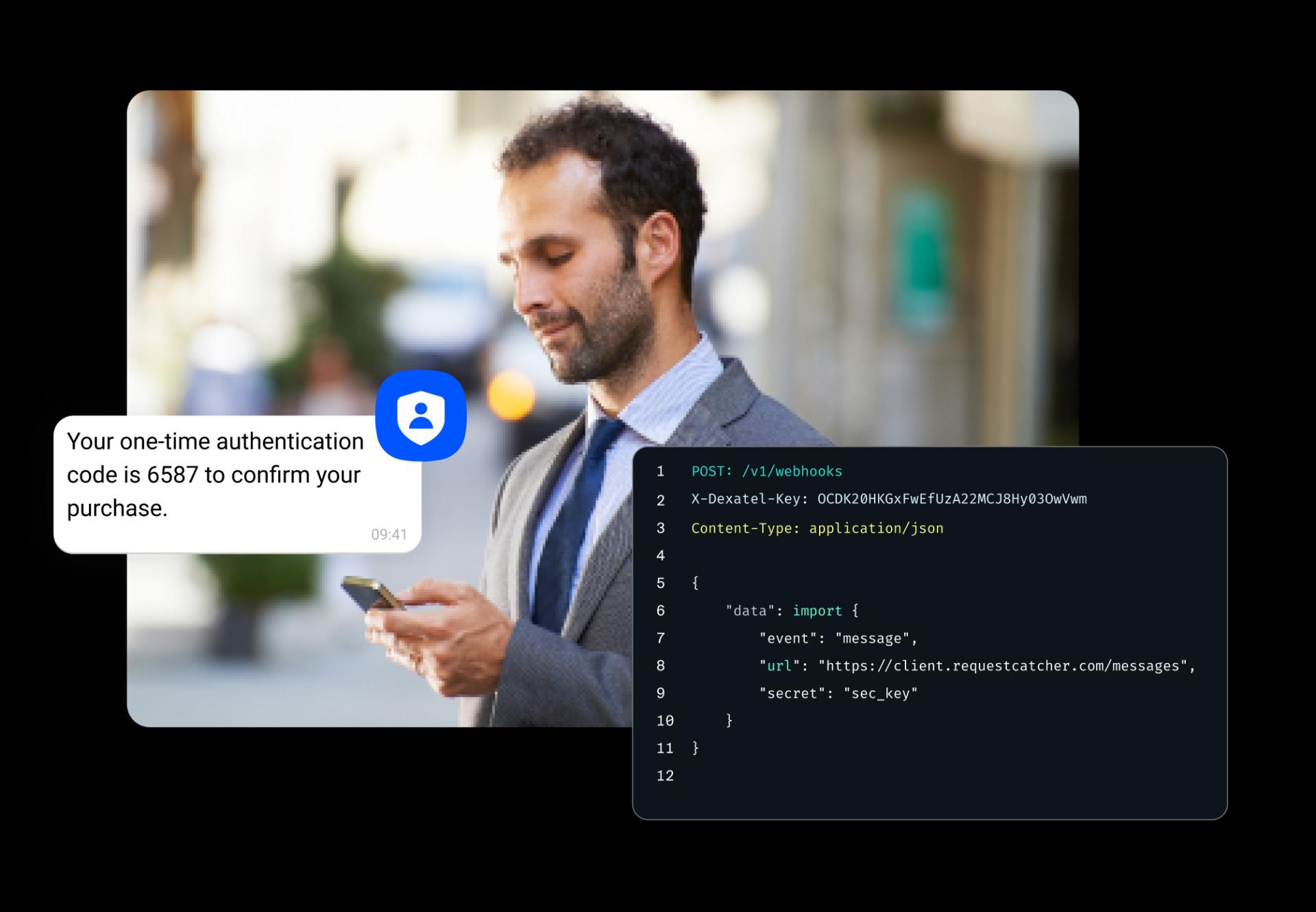
An SMS API allows applications, websites, and backend systems to send and receive text messages programmatically through a secure connection to an SMS gateway. Instead of manually sending messages from a phone or dashboard, developers can use API requests to trigger transactional SMS messaging, one-time passwords (SMS OTPs), alerts, reminders, delivery notifications, marketing campaigns, and two-factor authentication workflows automatically. You can integrate SMS APIs into mobile apps, SaaS platforms, CRMs, eCommerce systems, and customer support tools for scalable business messaging.
Dexatel’s SMS API gives you access to global carrier infrastructure through a REST-based API that supports high-throughput messaging, delivery tracking, sender management, and real-time analytics. Developers can integrate messaging directly into their products using API keys, webhooks, and standardized endpoints while managing global SMS delivery through a single platform.
How Dexatel’s SMS API Works
Dexatel’s SMS API follows a straightforward technical flow designed for fast integration and scalable message delivery. First, the application authenticates requests using a secure API key. Once authenticated, the application sends an HTTP request to the Dexatel API endpoint with the recipient number, sender information, message content, and optional configuration parameters such as delivery tracking or scheduling.
After the request is received, Dexatel routes the message through the most appropriate carrier connections based on destination country, network availability, delivery performance, and regulatory requirements. Intelligent routing logic helps optimize throughput, latency, and delivery success across global networks.
Once the message reaches the carrier network, delivery reports (DLRs) and status updates are returned through API responses or webhooks in real time. You can then track message states such as sent, delivered, failed, or undelivered directly inside their systems or dashboards.
Benefits of Dexatel’s SMS API
Expand Your Messaging Reach Globally
Send High-Volume SMS Without Slowing Down
Track Message Delivery in Real Time
Deliver Multilingual Messages With Flexible Encoding
Improve Deliverability With Smart Routing and Failover Logic
Monitor Messaging Performance Through Centralized Analytics
SMS API Features
Two-Way Messaging
Enable inbound and outbound SMS messaging to support customer replies, conversational workflows, and automated interactions.
Delivery Receipts
Track message delivery status using carrier-level delivery receipts returned directly through the API.
Webhook Callbacks
Receive real-time webhook callbacks for delivery updates, inbound messages, and messaging events.
Unicode and GSM-7 Encoding Support
Send multilingual SMS messages with support for both GSM-7 and Unicode character encoding.
Long Message Concatenation
Automatically split and reassemble long SMS messages into multiple segments when character limits are exceeded.
Alphanumeric Sender ID
Customize sender identity using branded alphanumeric sender IDs where regional regulations allow.
Shortcode Support
Use dedicated shortcodes for high-volume messaging, marketing campaigns, and large-scale customer communication.
Real-Time Delivery Reports
Monitor message states such as sent, delivered, failed, and undelivered through real-time delivery reporting.
Dexatel SMS API Features vs Other Providers
| Feature | Dexatel SMS API | Traditional Providers |
|---|---|---|
| Global coverage | International carrier coverage with regional delivery optimization and routing intelligence. | Coverage quality may vary depending on carrier partnerships and routing infrastructure. |
| Delivery reliability | Smart routing and fallback logic help improve message delivery consistency. | Delivery performance may rely on fewer routing options or single-channel delivery paths. |
| Developer experience | REST APIs, SDKs, webhooks, and clear documentation simplify integration. | Developer tooling and integration support can vary significantly between providers. |
| Multi-channel support | Expand beyond SMS into WhatsApp, Viber, voice, and verification APIs from the same platform. | Additional messaging channels may require separate vendors or integrations. |
| Analytics and monitoring | Real-time delivery tracking and reporting help teams monitor performance and troubleshoot issues quickly. | Reporting capabilities are sometimes more limited or delayed. |
| Scalability and security | Built for both transactional messaging and high-volume OTP traffic with anti-fraud protections and rate limiting. | Scalability and authentication-focused security features may vary by provider. |
SMS API Use Cases
OTP and 2FA Verification via API
Use the SMS API to send one-time passwords (OTPs) and two-factor authentication (2FA) codes directly from your application. SMS verification APIs are useful for account logins, user onboarding, password resets, and transaction confirmation.


Transactional Alerts and Notifications
Send transactional SMS alerts for account activity, payment confirmations, security events, and system updates. API-driven notifications help you deliver important information to users in real time.

Appointment Reminders
Use the programmable SMS API to automate appointment reminders for healthcare providers and service businesses, among others. Automated reminders reduce missed appointments and improve customer communication.
Order and Delivery Notifications
Send order confirmations, shipping updates, delivery alerts, and tracking notifications programmatically through the text message API. Real-time messaging helps customers stay informed throughout the purchase and fulfillment process.

Programmatic SMS Marketing Campaigns
Trigger SMS marketing campaigns based on customer behavior, CRM events, purchases, or engagement activity. Programmatic text messaging makes it easier to personalize messaging across different audiences.

SMS API Limitations
Dexatel’s messaging API lets you send messages through a REST API using standard HTTP POST requests and JSON request/response formats. Developers authenticate requests with an API key or Bearer token, then submit message details such as recipient number, sender ID, message body, and delivery options through the API endpoint. The API returns structured responses with message IDs, delivery status, error codes, and validation details, while rate limits help manage traffic volume and protect delivery performance at scale. Full API reference and integration guides are available in our documentation.
SMS API Integration Model
Dexatel’s messaging API lets you send messages through a REST API using standard HTTP POST requests and JSON request/response formats. Developers authenticate requests with an API key or Bearer token, then submit message details such as recipient number, sender ID, message body, and delivery options through the API endpoint. The API returns structured responses with message IDs, delivery status, error codes, and validation details, while rate limits help manage traffic volume and protect delivery performance at scale. Full API reference and integration guides are available in our documentation.
Integrate the SMS API in Minutes
Setup and Integration
Connect your system in minutes using REST API or SMPP integration.
Define Notification Rules
Set your custom rules and triggers for automated message delivery.
Message Dispatch
Send messages to customers automatically through selected channels.
Analytics and Optimization
Monitor performance and optimize delivery using detailed analytics.
SMS API Integration Essentials
API Authentication
Generate API keys and authenticate requests securely using authentication headers and Bearer token authorization.
Test Environment and Sandbox Access
Use a sandbox or test environment to validate SMS workflows, API responses, and delivery logic before deploying to production.
Request Throttling and Rate Limits
Manage request throttling and API rate limits to maintain stable delivery performance during high-volume messaging traffic.
Character Encoding Support
Handle GSM-7 and Unicode character encoding automatically to support multilingual messaging and long SMS content reliably.
HTTP SMS API vs SMPP
HTTP/REST APIs are typically the better option for modern SMS integrations because they are easier to implement, support JSON request formats, and work well with web applications, cloud platforms, and developer frameworks. SMPP is a lower-level telecom protocol commonly used for large-scale carrier connectivity and high-throughput messaging environments.


Join Top Companies That Choose Dexatel for SMS API
SAP × Dexatel
SAP serves hundreds of thousands of businesses worldwide, including the majority of Fortune 500 companies. To keep those clients informed and their accounts secure, SAP relies on Dexatel's SMS API for delivering real-time account updates and software notifications at the right time.


Alibaba × Dexatel
Alibaba's eCommerce and cloud ecosystem operates at a scale few platforms ever reach. To match that scale on the communications side, Alibaba turned to Dexatel for SMS delivery that grows with demand. Dexatel's scalable messaging infrastructure allows Alibaba's users to stay connected, no matter the volume.

TikTok × Dexatel
With over 150 million active users in the United States alone, TikTok needs authentication infrastructure that never sleeps. TikTok partnered with Dexatel to handle OTP code delivery across its massive user base, making sure that logins, verifications, and signups are protected by fast SMS delivery.

SMS API Pricing
| Country | Price |
|---|---|
Local* | $0.0229 |
International | $0.0229 |
Got Questions? We’ve Got Answers
How much does SMS API cost?
How do I integrate an SMS API?
What programming languages are supported?
What is the difference between an SMS API and an SMS gateway?
How many messages can I send per second?
Can I send international SMS messages?
Does the SMS API support delivery tracking?
Start Messaging Today
Get your API key and start sending messages with Dexatel right away.