


Introducing the Dexatel AI Assistant


Published: Nov 16, 2026

You open your Dexatel dashboard to check how yesterday's campaign went, or to set up a new verification template, and a few clicks later you are still hunting for the right screen. Now you can just ask.
Meet the Dexatel AI Assistant
It's a chat window built right into your dashboard. You can ask it questions about your account, and you can ask it to take care of things for you, like creating a template, sending a campaign, or checking how your messages are performing.
What you can ask it to do
Create a template
Tell the assistant you need a verification template, and it drafts one for you. It even shows you a preview before saving, so nothing changes until you say yes. For example:
"Please create me a new verification template for SMS. It's name should be otp_template. The content is up to you, it will include a basic greeting, the code, and to keep it safe and hidden."
The assistant writes the message, checks the character count, and asks: "Save it?" You confirm, and it's done.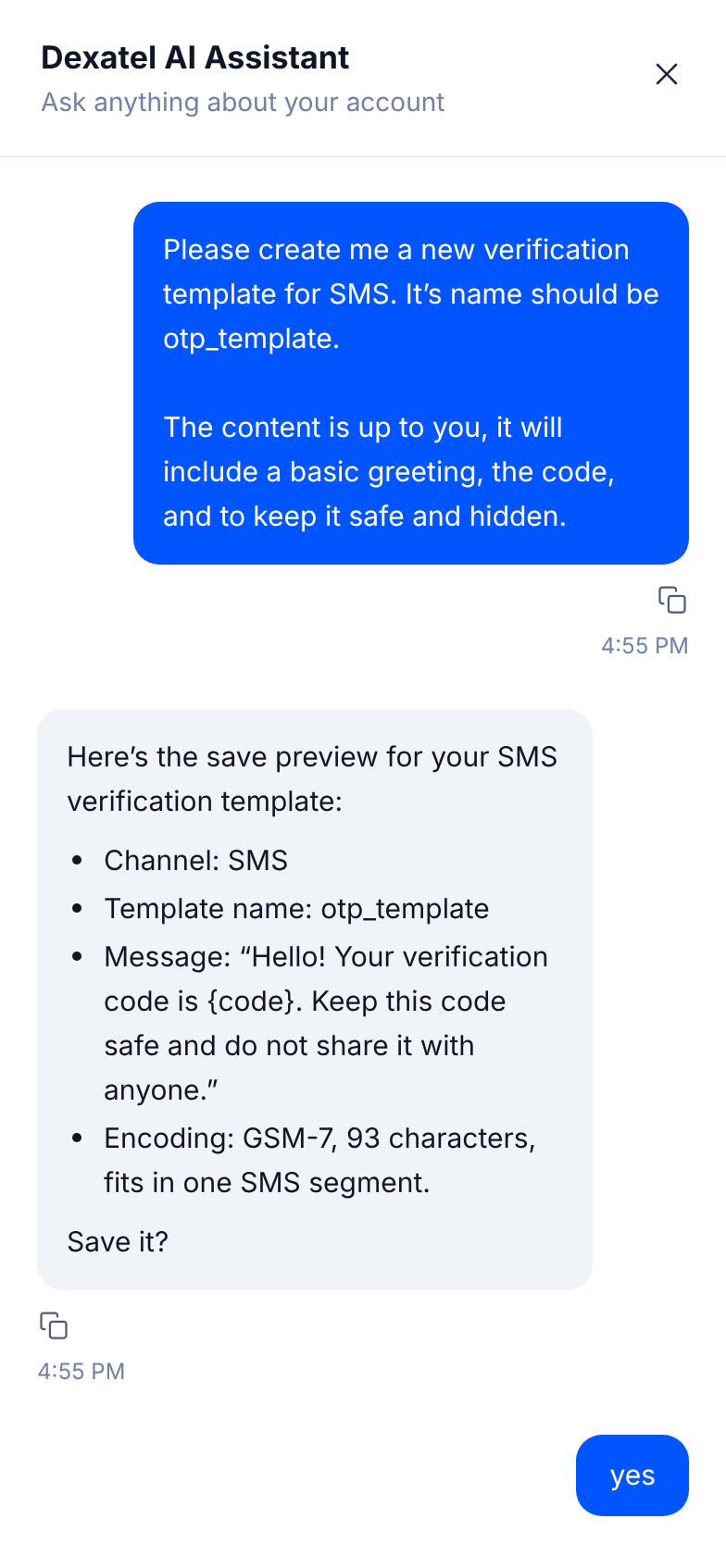
Check your sending activity
Ask how many messages you sent last week, or which channel performed best, and get the answer in plain language instead of digging through reports.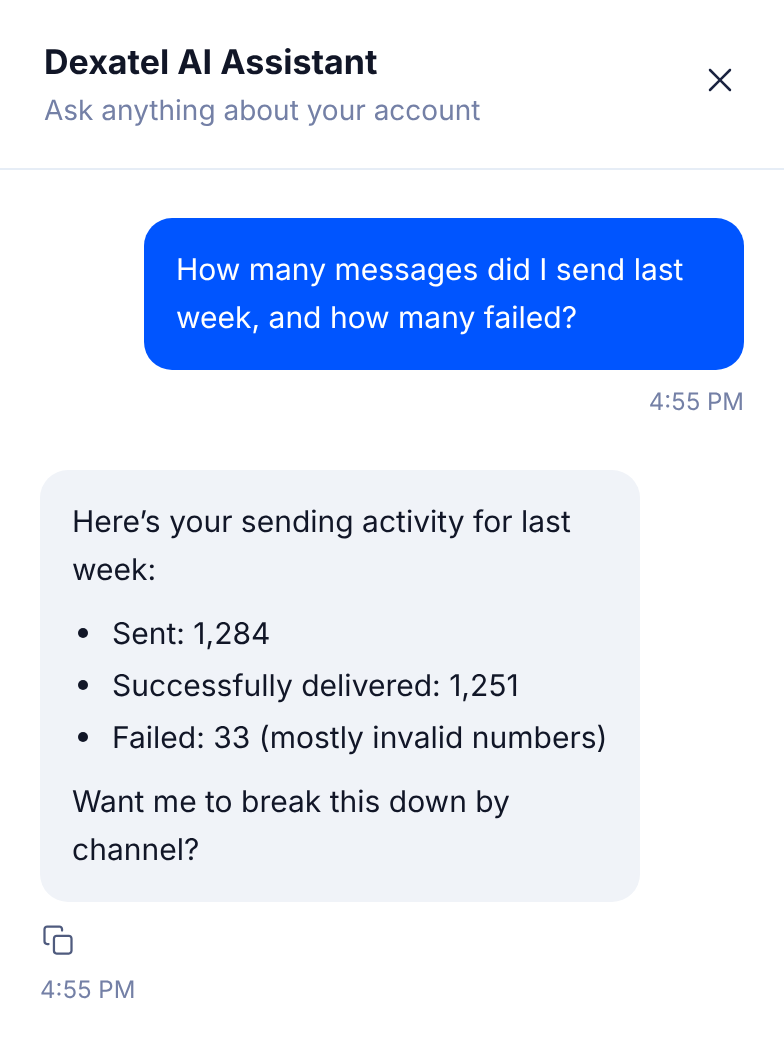
Take an action, with your approval
Anything that changes your account, like sending a campaign or creating a template, waits for your confirmation first. You stay in control.
Why it matters
Common tasks get faster. No more clicking through several screens to do something simple.
The platform is easier to learn. Still getting used to a feature? Ask the assistant instead of searching the knowledge base.
You get quick insights. Ask a question about your sending activity and get a straight answer.
AI is part of the product, not a separate tool. It's there when you need it, inside the dashboard you already use.
How it works
The assistant splits its actions into two kinds.
Actions that change something, like creating a template, sending a message, or sending a campaign, always show you a preview first. Nothing is saved or sent until you confirm.
Actions that just give you information, like account details or message analytics, are answered right away, since there's nothing to approve.
This means you can ask freely and explore what it can do, without worrying that something will happen by accident.
Getting started
Look for the sparkle icon in the top bar of your dashboard, right next to your balance. Click it, and you can start asking right away.
The AI Assistant is available in every region. It's part of the Dexatel experience for accounts with at least two paid invoices. If you're not there yet, keep an eye out, you'll get access as soon as you qualify.
FAQ
Is this the final version?
No, we're continuing to develop the AI Assistant, and more features are planned.
Who can use it?
Accounts with at least two paid invoices, in any region.
What happens to my data?
We only keep the conversation itself, the question you ask and the answer you get. We don’t tie it to your account, so there’s no record of which conversation belongs to which customer. At the moment, we keep this data indefinitely.
What if I run into an issue?
Contact customer support from your dashboard, and we'll help you out.
Try it out
Open your dashboard and click the sparkle icon next to your balance. Ask it something simple to start, like how many messages you sent this week. If you have questions, our support team is ready to help.


