


Meta WhatsApp Cloud API: A Comprehensive Guide


Published: Jun 26, 2023
Meta always has a trick up its sleeve. In the spring of 2022, the company introduced Meta’s WhatsApp Cloud API to all businesses worldwide, which came as a delight for many. It proved to be one of the largest developments by Meta, making quite a splash in the cloud communication market and becoming a key addition to the WhatsApp ecosystem.
This boosted WhatsApp’s presence in the business world. As a brand, you can now scale and customize your business communications on the WhatsApp Business platform. Our guide covers all you need to know about the app’s Cloud API, including features, benefits, limitations, and more.
Understanding Meta WhatsApp Cloud API
WhatsApp Cloud API refers to the version of WhatsApp Business API that is hosted by Meta rather than a Business Solutions Provider (BSP) server or a company’s own server. Since the key difference is the hosting type, WhatsApp Business API is known as an "on-premise API."
Previously, businesses had to undergo a BSP in order to get the WhatsApp API. The whole process was time-consuming, and the BSP fees were too high for some businesses to afford. As a result, Meta introduced Cloud API on WhatsApp as a faster and more cost-effective way to set up an API WhatsApp account.
Get in Touch With Our Experts
Streamline your efforts and centralize your channels with Dexatel's all-in-one platform. Talk to our experts and get all your questions answered.
How Does Meta Cloud API Work?
Meta is similar to cloud service companies in the way it acts as a hosting service. It is responsible for storage, computing, maintenance, network, and handling all the infrastructure-related costs involved. With the help of WhatsApp’s cloud communication API service, businesses can send and receive up to 80 messages per second to a number of contacts.
Companies will also be able to register more than one phone number on the Cloud API. As for scaling, the Cloud API automatically adapts to your company’s workload. Plus, you’ll have automatic updates available on the API.
How Much Does the Cloud API Cost?
You can get a Meta WhatsApp Cloud API account for free. You’ll only need to pay the WhatsApp API’s conversation-based fees. But no additional per-message fees are involved. As for conversation-based pricing, it falls into two categories:
User-initiated conversation fees: These are when a customer messages a business and then responds within 24 hours.
Business-initiated conversation fees: These apply when a business messages a user 24 hours after a user initiates a conversation
Regardless of the category, WhatsApp offers the first 1,000 conversations of each month for free. Any additional conversation beyond this limit will require you to add a credit card to your Cloud API account. It’s also worth mentioning that the 1,000-message limit—which refreshes every month—still applies even if you have multiple phone numbers attached to your account.
What Does Meta’s Cloud API Feature?
The WhatsApp Cloud API comes with a slew of new features that you can access. These include:
End-to-end encryption of conversations
Eligibility for WhatsApp green tick
Advanced automation for sales, marketing campaigns, and customer support
Interactive business messaging
Scheduling messages at scale
Broadcasting and bulk messages
Free API software upgrades
Free hosting
24/7 support for critical issues
WhatsApp Business API Vs. Cloud API
Another aspect worth noting is the difference between the WhatsApp Business API and Cloud API. What differentiates the former from the latter is that with the Cloud API, Meta offers both hosting and API access. This allows businesses to have automatic access to API software upgrades in addition to security upgrades. On the other hand, WhatsApp Business Cloud API features premium support and regional hosting.
A clear distinction between the two versions is how the system message template appears to the recipient. In the case of the Meta WhatsApp Cloud API, the message would read, “This business uses a secure service from the Facebook company to manage this chat. Tap to learn more.”
But when a BSP is hosting the API, the system text would be “This business works with other companies to manage this chat. Tap to learn more.”
As for a business hosting its own API, the recipient would see the regular “Messages and calls are end-to-end encrypted” system message.
What Is a WhatsApp BSP?
A WhatsApp BSP, or Business Solution Provider, is a Meta-approved partner that offers businesses programmatic access to WhatsApp.
They do this by providing access to the WhatsApp Business Platform, formerly known as WhatsApp Business API.
You can check if a BSP is officially approved by looking at Meta’s publicly available directory of BSPs.
You cannot simply sign up for WhatsApp Business API and begin sending messages at scale.
Meta is very strict about who gets access. BSPs are the gateway.
They're vetted, approved companies that have built the infrastructure, toolset, and compliance framework needed to operate on Meta’s platform, and then pass that access on to businesses like yours.
To illustrate, think of it like this: Meta is like a telecom carrier.
The WhatsApp Business Platform is like a network.
And a BSP is like a service provider who gets you access to that network.
How the WhatsApp BSP Ecosystem Works
Understanding this structure will allow you to make a smarter decision.
Here’s how these pieces fit together:
- Meta sits at the top. They own WhatsApp, set the rules, approve message templates, and control who gets to use the API.
- BSPs are official Meta partners. They handle the technical and compliance layer – infrastructure, uptime, phone number provisioning, template submission, etc.
- Businesses (that's you) use a BSP to get a WhatsApp Business Account and use the capabilities of the Platform.
When you use a BSP, you’re not just buying an API.
You’re buying everything around it – onboarding, compliance support, template support, delivery infrastructure, analytics, and customer support.
The quality of everything around the API can differ dramatically from BSP to BSP.
Benefits of WhatsApp’s Cloud API
Setting up WhatsApp Cloud API comes with a lot of benefits.
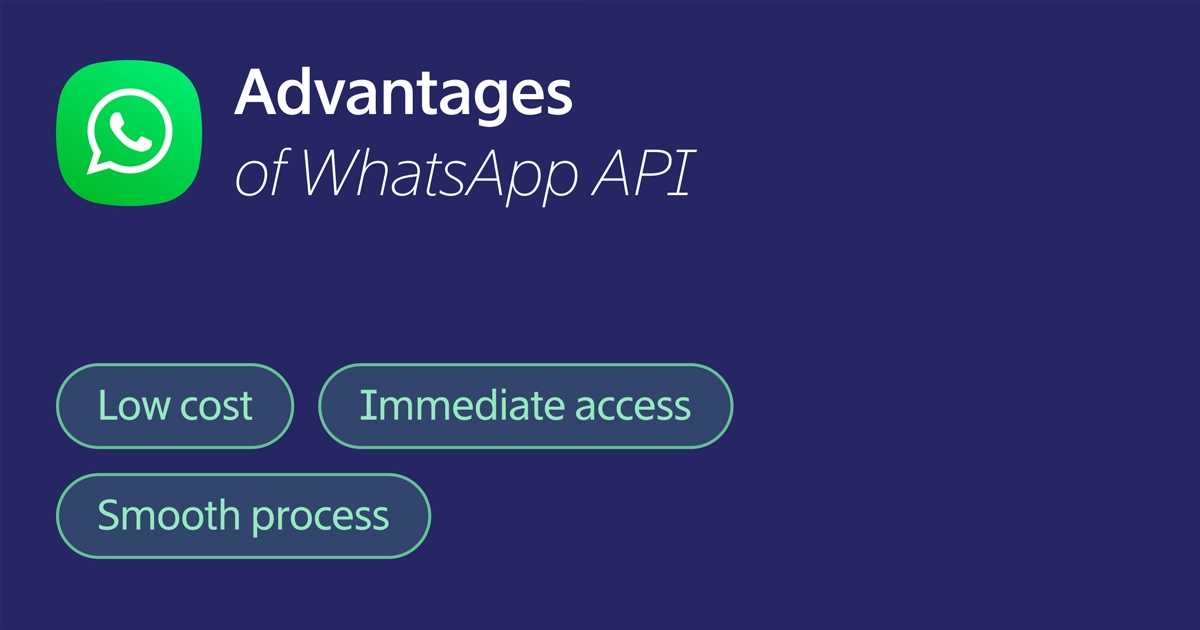
Reduced costs: BSPs charge a fixed fee for the WhatsApp Business API. Setting up the WhatsApp Cloud API with Meta, on the other hand, is completely free. This allows businesses of all sizes to get the Cloud API at no cost.
Instant access to updates: Another upside is being able to instantly access the WhatsApp Business API. This means having direct access to API updates, which also include security updates.
Speedy approval process: Before Meta introduced the Cloud API, accessing the WhatsApp Business API involved waiting for the BSPs’ approval. The Cloud API basically gets rid of the middleman.
Limitations of the Cloud API
As perfect as it sounds, the new WhatsApp Cloud API does have a few minor downsides as a business solution. One limitation is that you can’t use a phone number for both the Cloud API and the on-Premise API. You have to choose either one.
However, Meta’s team of developers is constantly working on rectifying this problem. In the meantime, it is possible to migrate your phone number from the on-premise API to the cloud-hosted version.
Another limitation is that Meta itself does not provide a platform interface for using WhatsApp services, besides offering the Cloud API. Any information claiming otherwise is actually a common misconception. To make the most of your Cloud API, you’ll need to connect it to a business messaging platform like Dexatel.
What to Know Before Setting Up Your Cloud API
It’s worth mentioning that certain BSPs offer the WhatsApp Cloud API. If you already have a connection with a BSP that happens to offer Cloud API, you can get yours from them. Meta recommends getting the Cloud API directly from Meta, as it would be easier to implement and maintain.
If you have a WhatsApp On-premise API number that you want to use for the Cloud API, you’ll need to migrate it from one to the other. Keep in mind that you can’t use one number for both—your BSP should be able to help with the migration process.
How to Get Started With a WhatsApp BSP: Step by Step
The setup process is a bit more involved compared to most other messaging channels.
Here is a breakdown of it:
- Setting up a Meta Business Manager account, which is the foundation. You'll need a Facebook account, a verified business name, as well as business details.
- Selecting and signing up with a BSP. The BSP will assist in integrating your Meta Business Manager account with their platform, as well as setting up your WhatsApp Business Account.
- Adding and verifying a phone number. You'll need a phone number that is not already in use by another WhatsApp account. You'll receive a verification code via a call or text message.
- Completing business verification. You'll be asked to submit your business details to Meta via the Business Manager account. This is necessary if you're looking to attain high messaging limits, as well as a green tick verification badge.
- Submitting message templates. You'll need to submit the templates you'll be using for sending messages. The BSP will be instrumental in ensuring these templates comply with Meta's content policy requirements.
- Integrating the API. You'll need to integrate the BSP API into your CRM, platform, or code. Good BSPs will provide SDKs, Postman collections, as well as a sandbox for development purposes.
- Going live. You'll begin with low volumes, monitor delivery rates, as well as quality scores, and then scale up progressively. WhatsApp has messaging 'tier limits' that increase in line with quality.
Average time from sign-up to first live message: 3-7 business days with an experienced BSP.
Most delays occur in Meta's business verification queue, not the BSP.
What Makes a Good WhatsApp BSP? 5 Criteria to Evaluate
Meta's approval process is just the starting point.
However, the level of service provided by each BSP can vary greatly.
Here's what to look out for:
Reliable Delivery Infrastructure
Uptime, message delivery speed, and queue management are critical considerations, especially if you're dealing with OTPs or messages that have a time constraint.
You should ask your potential BSPs about their service level agreement, uptimes, and how they manage high volumes of messages.
Ease of Integration
A good BSP will have well-documented REST APIs, language-specific SDKs, and pre-built integrations into the major CRM systems.
Lack of documentation is a major red flag.
Template Management and Compliance Support
A good BSP will have good template management, explain the reason for rejected templates, and help you optimize your submissions for maximum time-to-live.
Transparent Pricing
Conversational costs are set by Meta and charged by WhatsApp.
BSPs apply their own markups or platform fees.
You can check out the pricing structure of Dexatel's WhatsApp service as an example of transparent pricing.
Quality of Support
WhatsApp issues, like account flags, delivery issues, and policy changes can change quickly.
You require support that is responsive and informed, with real response times, rather than just a ticket system.
How to Set up WhatsApp’s Cloud-Based API
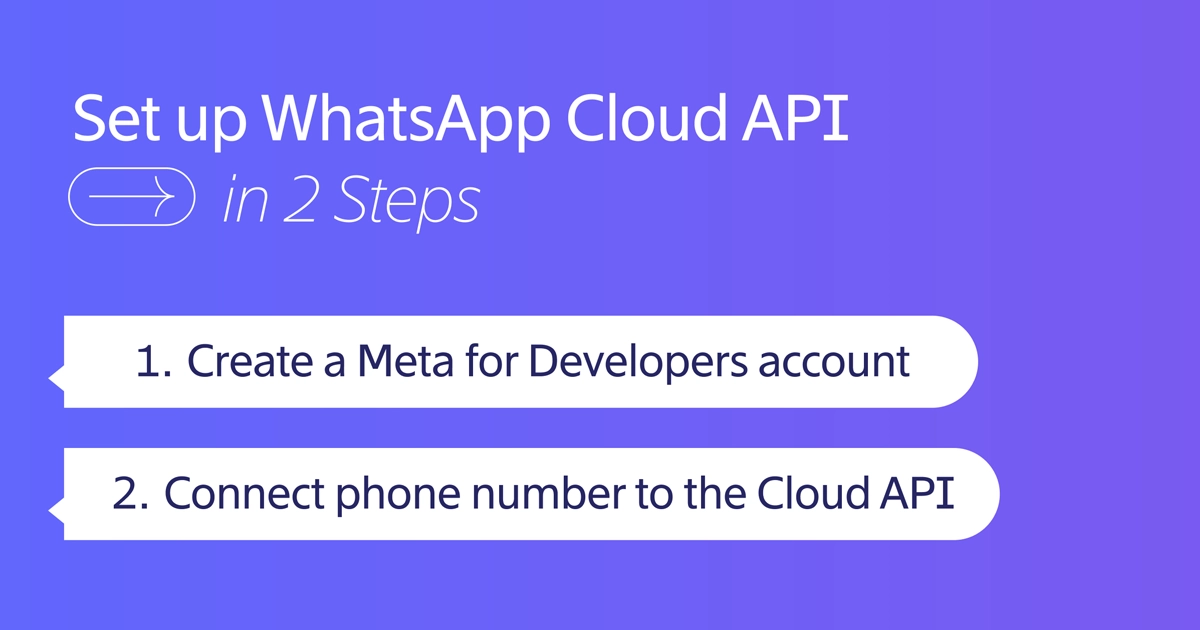
The process of getting the Meta WhatsApp Cloud API can be divided into two major parts. The first part involves setting up a Meta for Developers account. The second part is where you’ll tie a phone number to the Cloud API. The entire process is rather straightforward.
Creating Your Meta for Developers Account
1. Go to https://developers.facebook.com/ and sign in using your Facebook login credentials.
2. You’ll see an option to “Create App.” Select it and choose “Business” as the app type.
3. Fill in basic information about your business. You may leave the Business Manager account part unselected if you don’t have one. Note that with the WhatsApp Cloud API, you don’t need a verified Facebook Business Manager account. You can simply choose “No Business Manager account selected” and select “Create app.”
4. At this point, you should have logged in to your Meta dashboard. From there, scroll down the list until you find the WhatsApp section and click “Set up.”
5. The following screen will show you all the terms and conditions you need to accept before getting access to the WhatsApp Cloud API. If you chose “No Business Manager account selected” in step 3, you can do the same here. Select “Continue” and move on.
6. You’ll now have a unique phone number ID as well as a unique WhatsApp Business account ID. WhatsApp will also generate a “Test” number, which you’ll see under the “From” section. Enter the recipient phone number to which you want to send the testing message. This can be your business or personal WhatsApp number.
Connecting Your Phone Number
1. Proceed to the “Step 5” section and select “Add phone number”. This is where you’ll be linking a phone number to your WhatsApp Cloud API account.
2. Provide the necessary information and hit “Next.”
3. You’ll now be asked to fill in information for your WhatsApp Business profile. Do that and select “Next” again.
4. Enter a phone number to connect to your Cloud API. Make sure this number is not linked to an existing WhatsApp account.
5. Meta will then send a 6-digit verification code to the phone number you added. Verify that number by entering the code in the space provided.
6. Check the “Send and receive messages” section. The phone number will appear under “From.”
7. Once you have access to the Cloud API, you’ll need to add a platform interface, such as Dexatel’s, to be able to use it effectively.
Technical Considerations Beyond the Basics
For enterprise IT and engineering teams, the architectural decisions of most consequence are not discussed in the conventional “how to set up the WhatsApp API” blogs.
This is what changes for enterprises at scale:
Multi-Number Architecture
For enterprises, there are typically not one but many WhatsApp numbers to be integrated. There are several common architectural patterns, such as:
- Country-specific numbers: A DE-specific phone number for the DE market, and a UK-specific phone number for the GB market
- Function-specific numbers: A phone number for support (inbound, reactive), a phone number for marketing (outbound, broadcast), and a phone number for transactional communications
- Brand-specific numbers: Companies with many brands under their umbrella often need to maintain separate phone numbers for each brand to preserve brand identity
Each phone number integrated to the WhatsApp Business Platform is essentially independent, with its own quality score, message tier limits, and template library.
A multi-number architecture requires an equally robust organizational architecture to handle templates, quality, and throughput across all phone numbers
Message Throughput and Tier Management
The WhatsApp Business Platform operates under a tiered message limit system, which essentially measures how many unique users can be messaged within a 24-hour window.
This is something enterprises need to understand before they can effectively plan their campaign throughput:
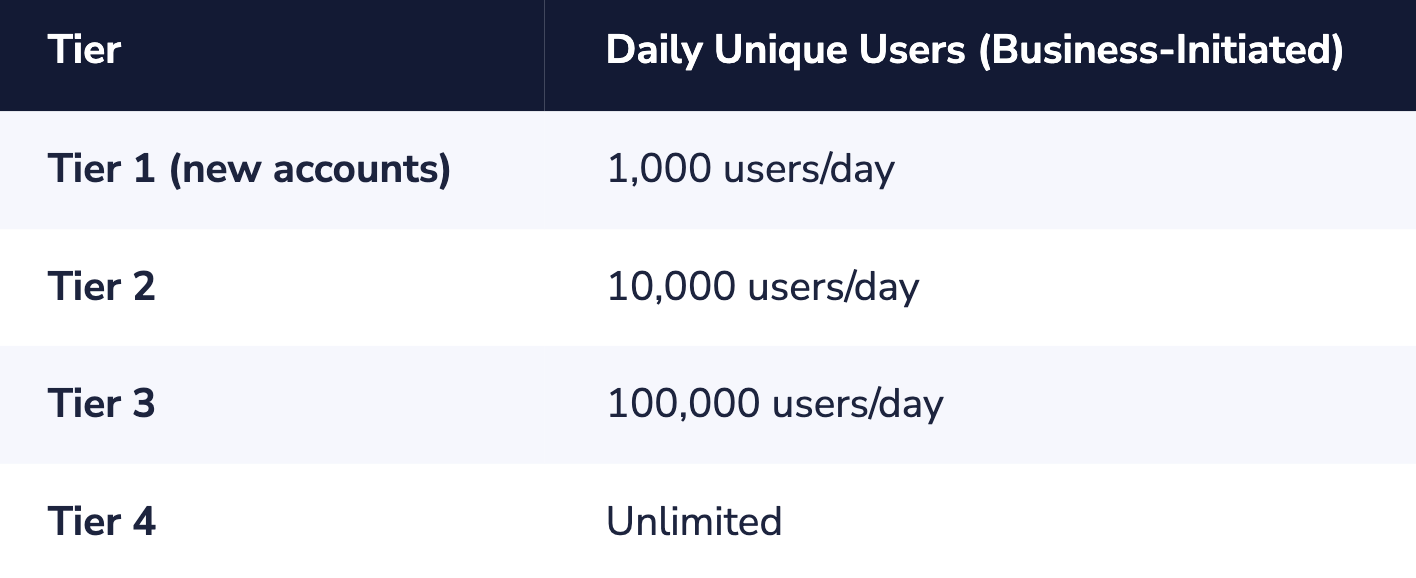
Tier upgrades are done automatically over time based on account quality and messaging volume, but new enterprise accounts start at Tier 1.
If an enterprise needs to send broadcast messages to hundreds of thousands of contacts on day one, they will need to plan a tier warm-up period (usually 4-8 weeks) or use additional numbers.
Webhook Architecture and Reliability
The WhatsApp Business Platform sends inbound messages and delivery receipts to the enterprise through webhooks, which are HTTP POST calls to an endpoint defined by the enterprise.
Enterprise-scale businesses require webhook reliability as well, especially when sending thousands of delivery receipt callbacks within seconds of sending the message as part of a large broadcast campaign:
- The webhook endpoint needs to be publicly accessible, HTTPS-enabled, and capable of handling bursts of traffic. A broadcast message to hundreds of thousands of users will require thousands of delivery receipt callbacks within seconds of sending the message.
- The enterprise needs to implement message deduplication logic. It’s possible for WhatsApp to send the same webhook event more than once. If the enterprise processes the same message twice, it will cause duplicate actions to be taken on the CRM.
- The enterprise needs to implement webhook retry logic. If the webhook endpoint returns any response other than 2xx, the WhatsApp Business Platform will retry the message. The enterprise needs to ensure that the endpoint is idempotent, meaning that the same message will be processed the same way every time. If the endpoint processes the same message twice, it will take the same action on the CRM as it did the first time.
- The enterprise needs to implement a message queue (such as AWS SQS or Google Pub/Sub) as an intermediate step to handle bursts of traffic to the webhook endpoint.
CRM and CDP Integration Patterns
The value of WhatsApp for Enterprises is proportional to the depth of integration with existing customer data systems.
Three integration patterns have been observed in WhatsApp for Enterprises implementations:
- Event-driven sync: WhatsApp conversation events (e.g., “message received,” “message sent,” “conversation resolved”) drive records in the CRM. This is the minimum integration required for most Enterprises.
- Data-in enrichment: CRM pushes customer data into WhatsApp at conversation initiation. This allows for personalized messages based on customer data without requiring the agent to look up information in separate systems.
- Bi-directional orchestration: WhatsApp is fully embedded in the customer lifecycle, driven by CRM events (e.g., order shipped → send delivery update) and providing data back to the CRM (e.g., survey response → update preference profile). This is the most mature integration and is often done via custom coding or a BSP with very high CRM certification.
Enterprises always underestimate integration complexity and overestimate time-to-value.
Most common integration deployment failure pattern: WhatsApp channel is deployed but operates as a “silo.” Agents have no customer context, no data in the CRM, and no ability to measure attribution. Integration architecture should precede your first campaign.
WhatsApp Security Evaluation and GDPR Operational Compliance
Many organizations deploy their WhatsApp solution in production with an insufficiently robust model of compliance.
The top five most common issues:
- Existing email marketing consent: Organizations that rely on existing consent for email marketing campaigns are not GDPR compliant, as consent for email marketing does not apply to the use of WhatsApp. Organizations must obtain channel-specific, freely given, specific, and informed consent for the use of the WhatsApp channel.
- Lack of documented consent at the individual level: Organizations must be able to demonstrate consent for the use of the channel for an individual user, as per the GDPR regulations. Organizations must be able to show when the user gave consent, the mechanism through which consent was given, and the channel that the user consented to.
- Failure to review template language for consent implications: Organizations must review the content of the message template before submitting it to Meta, as the content may imply consent for additional purposes beyond the initial opt-in.
- No tested erasure workflow: The erasure workflow under GDPR requires that personal data is deleted from your system as well as your BSP’s system. If you haven’t tested a workflow that simulates a GDPR erasure request that requires personal data to be deleted from both your CRM system as well as your BSP’s database, then your erasure workflow is not compliant.
- No DPA in place with Meta: Meta is a processor when it comes to message content on their infrastructure. A GDPR-compliant Data Processing Agreement is required with Meta. The DPA is available as part of their Terms of Service on business accounts. Enterprise teams should ensure that this is reviewed and accepted in context with their specific data processing activity.
GDPR Go-Live Checklist
- Separately documented opt-in exists at individual CRM level.
- DPA is signed with BSP – review sub processor list to ensure all parties are included.
- End-to-end erasure workflow has been tested.
- Template has been reviewed to ensure that there are no claims that exceed the scope of opt-in.
- Data Residency has been addressed – if customers are in the EU, ensure message metadata is not processed on non-EU-based infrastructure without SCA or adequacy in place.
Choosing Between WhatsApp On-Premise and Cloud API
Whether you should use the Meta WhatsApp Cloud API or the on-premise version depends on what suits the needs of your business. The cloud-hosted version is ideal for companies that want to manage their WhatsApp API account and have the means and expertise to do so.
Some businesses, however, may need additional help setting up the API, could use assistance with the green tick application, and require support with API-related problems. In that case, an on-premise API would be the better choice.
Whichever version of API you end up choosing, it makes no difference to the customer experience whatsoever—other than the system message they see at the beginning of the chat. The main impact is on your business in terms of access, cost-effectiveness, and maintenance. In any case, WhatsApp is a great marketing tool for growing your business.


.jpg&w=828&q=75)
.jpg&w=828&q=75)
